
Scan the wholesaler bill. Stock is added for you.
Take a photo of the purchase bill. Medsathi reads every line, checks it adds up to the bill total, and adds each medicine to stock with batch, expiry and MRP. No typing line by line.
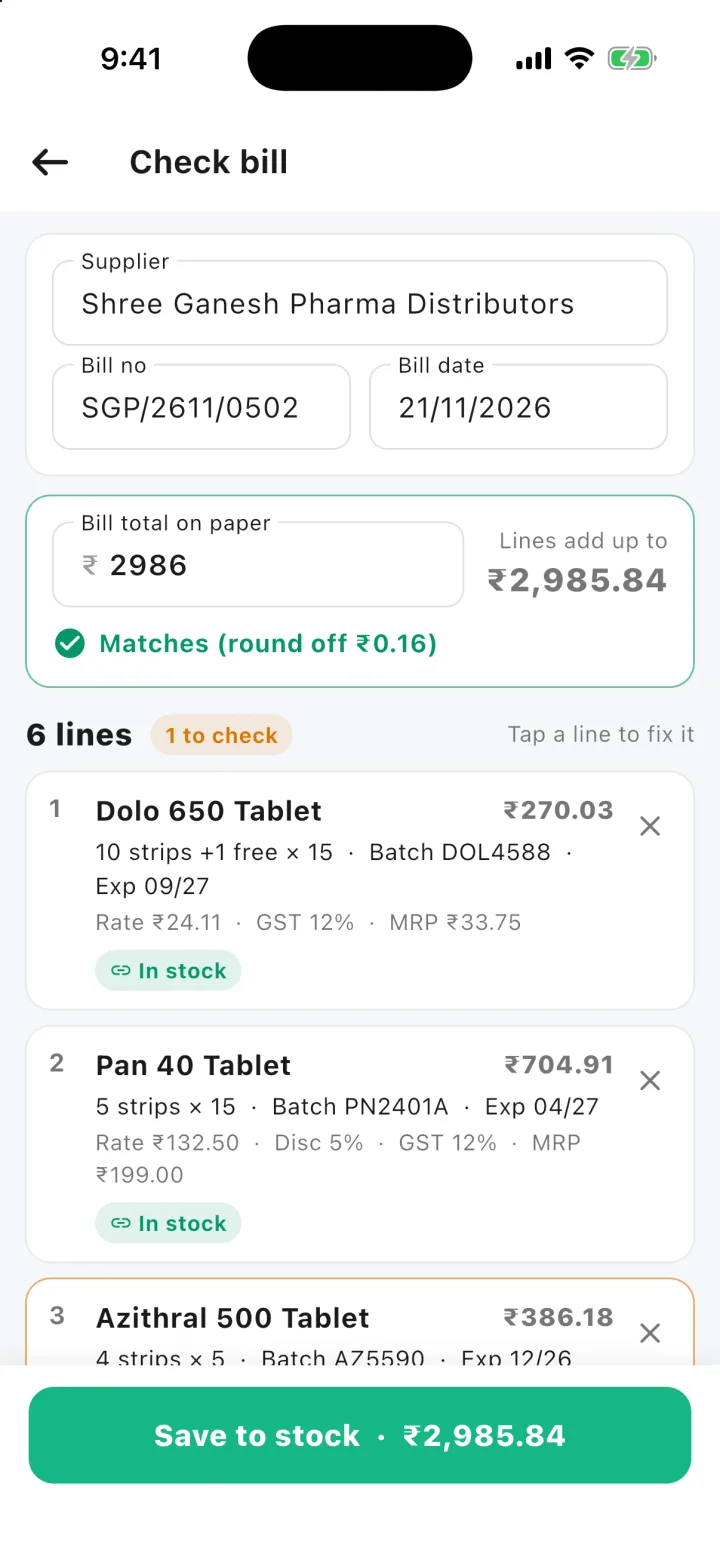
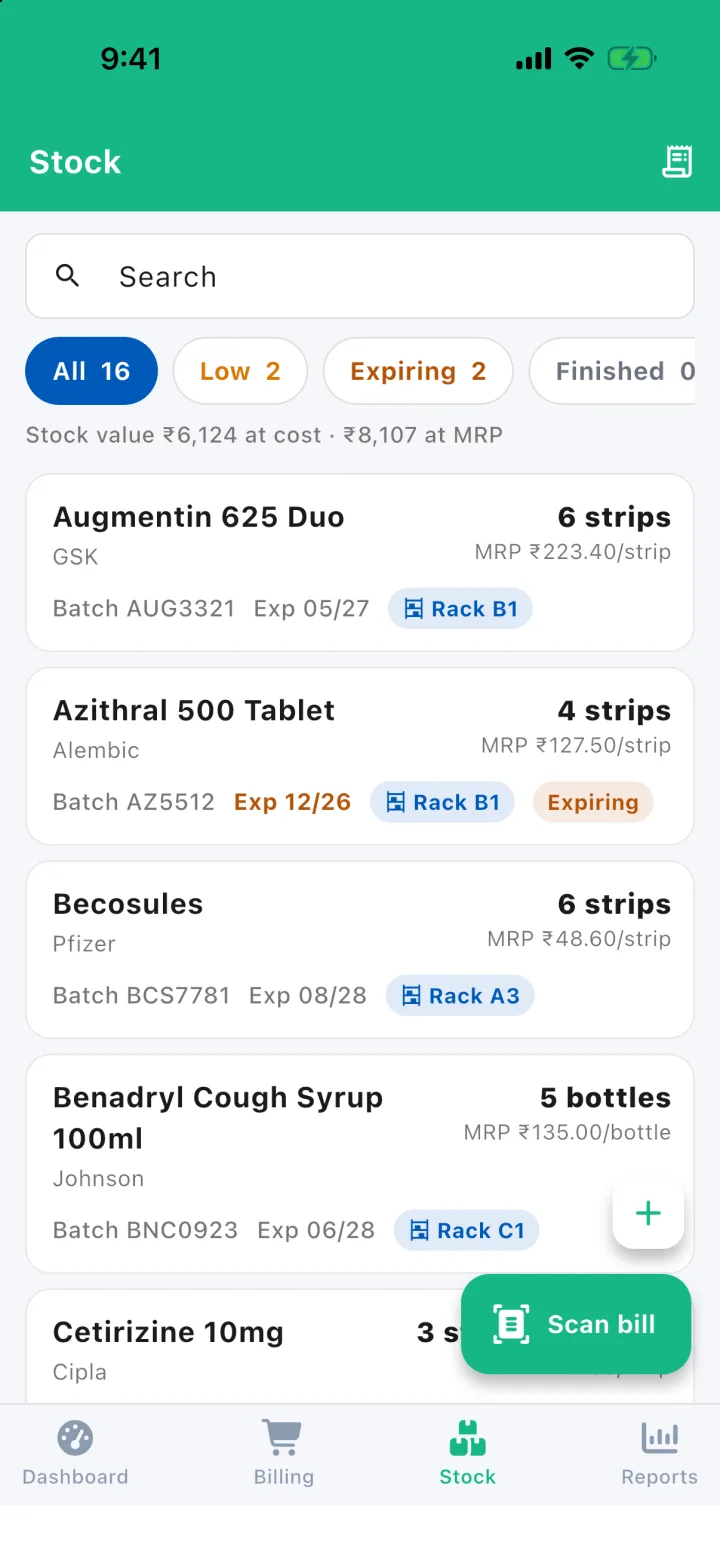
From paper bill to stock in four steps
- Scan. Take a photo of the bill (several pages are fine). The scanner straightens and crops the page.
- Read. Medsathi reads the supplier, bill number, date and every line: medicine, company, batch, expiry, strips, free strips, rate, discount, GST and MRP.
- Check. Compare each line with the paper. Medsathi shows the bill total next to the total of the lines, and tells you when they do not match.
- Save. Every line goes into stock with its batch and expiry, and the bill is kept with its photo.
Totals that must match
Reading a crumpled bill is hard, for people and for software. So Medsathi does not ask you to trust it blindly. It works out each line from strips, rate, discount and GST, adds them up, and compares the result with the total printed on the bill (allowing for round-off). When the two match, you know nothing was missed. When they don't, Medsathi points to the lines to look at.
Free strips and cost handled correctly
Schemes like 10 + 2 free are common. Free strips go into stock at no cost, so your cost per strip and your profit on each sale stay accurate.
Matches medicines you already have
When a scanned line is a medicine already in your stock, the new batch is added to it, not created as a duplicate. New medicines are created with the details from the bill.
When a photo cannot be read
Some bills are faded or handwritten. If a photo cannot be read, type the bill on the same screen: the same checks run and the same stock is added. You can also correct any line the scan got wrong before saving.
Your bills stay yours
Bill photos are stored with your shop's account so you can look back at them. To read a photo, Medsathi sends it to Google's Gemini AI through Firebase; it is used only to fill in your bill, never sold or shown to anyone else. Read the privacy policy for details.
Common questions
Which bills can it read?
Printed bills from wholesalers and distributors, including multi-page bills. Very faded or handwritten bills may need to be typed.
Do I need to check the lines?
Yes. Always compare each line with the paper before saving. Medsathi helps by matching the lines total to the bill total.
How long does it take?
Usually within a minute to read a bill, plus the time you take to check it.
Does it need internet?
Yes, reading the photo needs a connection.
Run your medical store from one phone
Free to start. Scan your first supplier bill and your stock is ready to sell in minutes.