
Medical store stock management, without the register
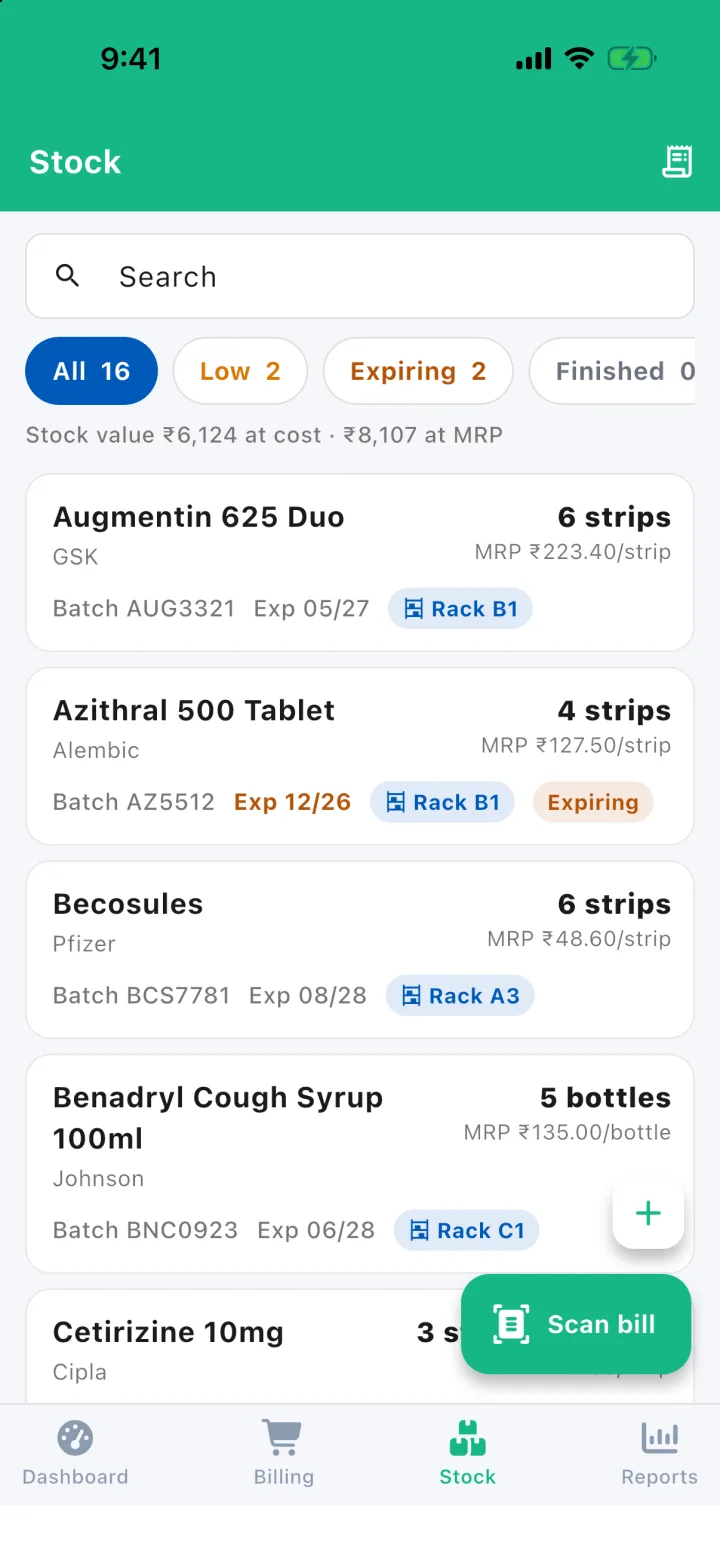
Every medicine in your shop, counted in strips and loose tablets, by batch, expiry and rack. Purchases add to stock, sales take away, and every correction has a reason you can see later.
Stock you can trust
A stock register is only useful if it is right. Medsathi keeps it right with three simple rules:
- A purchase adds. Scan or type the supplier bill and every line goes into stock with its batch, expiry, MRP and cost.
- A sale subtracts. Each bill takes out the exact units from the batch that expires first.
- Every other change has a reason. Breakage, a counting mistake, a sample given away: you correct the count and pick a reason. Nothing changes silently.
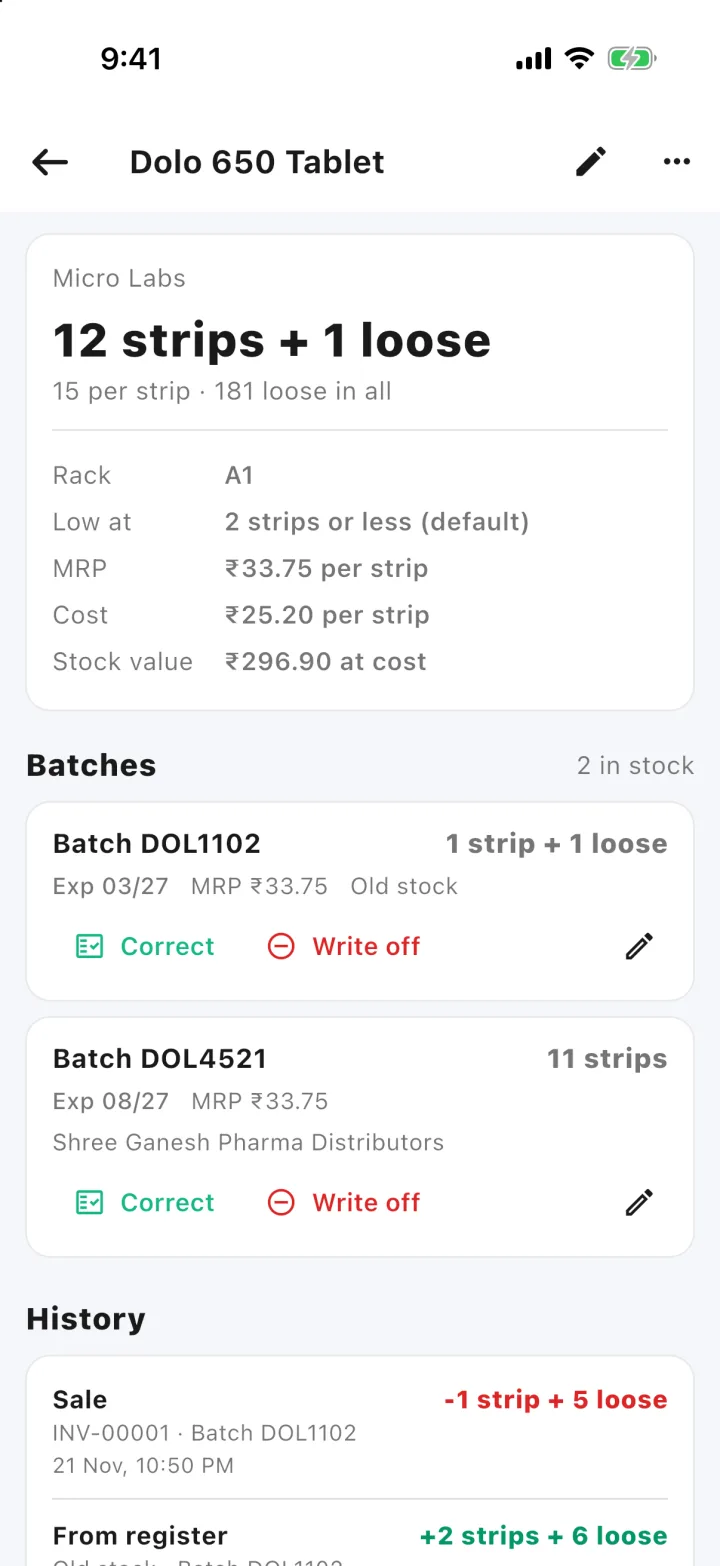
Open any medicine to see its full history: when it came in, from which supplier, every sale and every correction.
Strips and loose, the way you count
Medsathi stores stock in single units and shows it the way you speak: 8 strips + 3 loose. Sell a strip or sell three tablets; the count stays exact. Bottles, tubes and vials are counted as packs.
Batch, expiry and rack for every medicine
One medicine can have several batches with different expiry dates and MRPs. Medsathi keeps each batch separate, sells the earliest expiry first, and never bills an expired batch. Add a rack number so anyone at the counter can find it.
See what needs attention
- Low stock: medicines at or below their low level (two strips by default, or your own level).
- Finished: sold out, time to order.
- Expiring: batches that expire within three months, and expired stock still on the shelf.
Filter the stock list by any of these, or see them all on the home screen. Medsathi also sends a phone alert when something runs low or out, and a morning alert for expired and soon-to-expire batches.
Stock value at cost and at MRP
Know what your shelf is worth. Reports show total stock value at what you paid and at MRP, so you can see money tied up in slow medicines.
Start without typing your whole shop
You do not need to enter everything on day one. Scan the supplier bills as stock arrives and your list fills itself. For medicines already on the shelf, add an opening count once.
Common questions
Do I have to enter my whole stock first?
No. Scan purchase bills as they come in, and add opening stock for what is already on the shelf when you have time.
How does it handle strips and loose tablets?
Stock is kept in single units and shown as strips plus loose, for example 8 strips + 3 loose. Selling a strip or a few tablets both keep the count exact.
Can I keep different batches of the same medicine?
Yes. Each batch keeps its own expiry, MRP and cost. Sales take from the earliest expiry first and skip expired batches.
Can more than one person use it?
Your stock lives in your shop account, so it is the same on any phone you sign in on. Medsathi is built for one shop; it does not manage several branches.
Run your medical store from one phone
Free to start. Scan your first supplier bill and your stock is ready to sell in minutes.