

Made for Indian medical stores

Stock, billing and expiry for your medical store, in one app.

Scan a wholesaler bill and every medicine goes into stock with its batch, expiry and strips. Bill by strip or loose tablet. See what is running low and what is about to expire.

Login with your mobile number Your shop's data stays private Android & iPhone
  • Strips and loose tablets
  • Every batch with its expiry
  • Rack numbers for every medicine
  • GST shown on every bill
Features

Put the stock register away

Everything the register did, without the writing. And it tells you what needs attention.

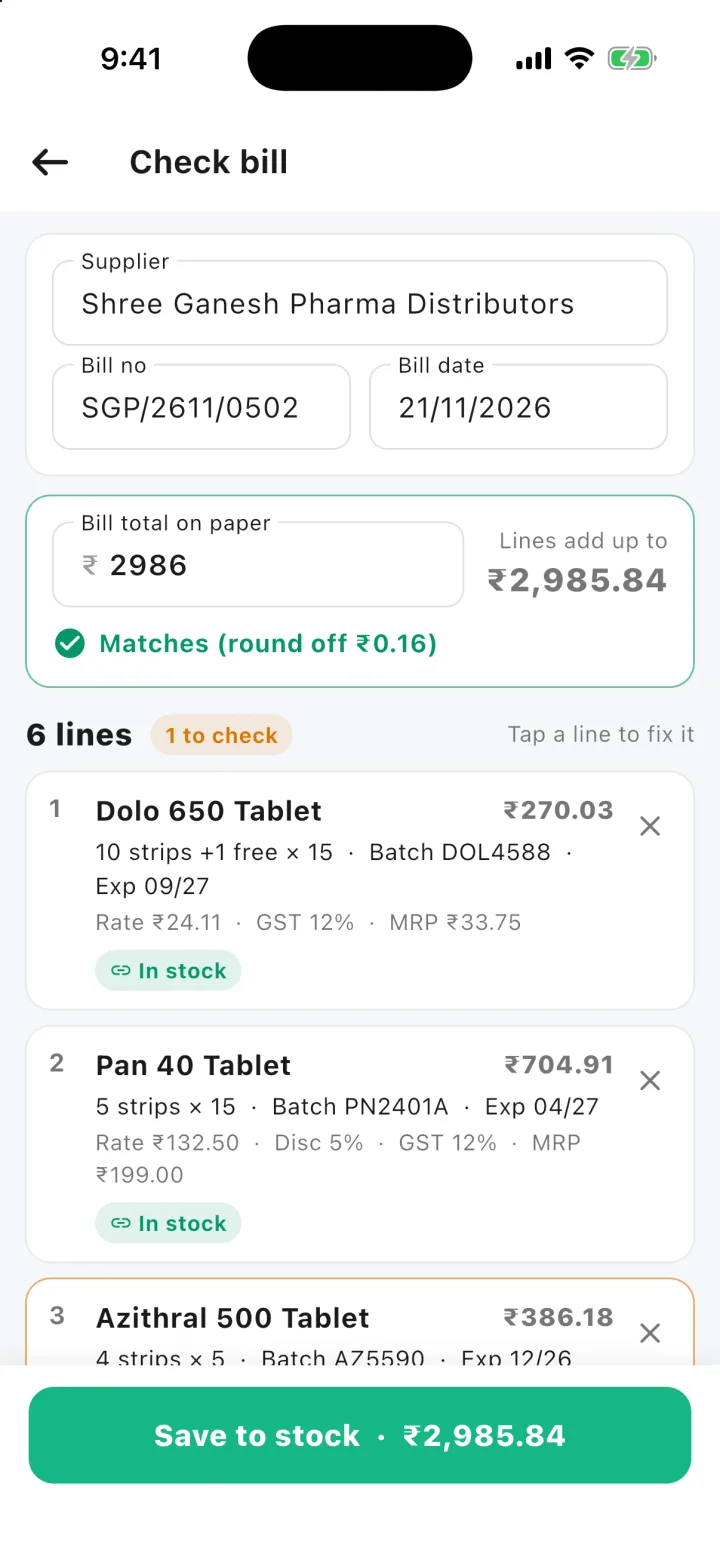
Medsathi Check bill screen: supplier, bill number, paper total matching the lines total, and each medicine line with strips, batch and expiry
Scan bill

Photo of the bill in, stock out

Take a photo of the wholesaler bill. Medsathi reads every line: medicine, batch, expiry, strips, free strips, rate, MRP and GST.

  • Check it against the paper. The lines must add up to the bill total, so a misread line shows up straight away.
  • Fix any line in seconds, or type the bill yourself when there is no photo.
  • No double entry. Saving the same bill again? Medsathi asks first.
How bill scanning works →

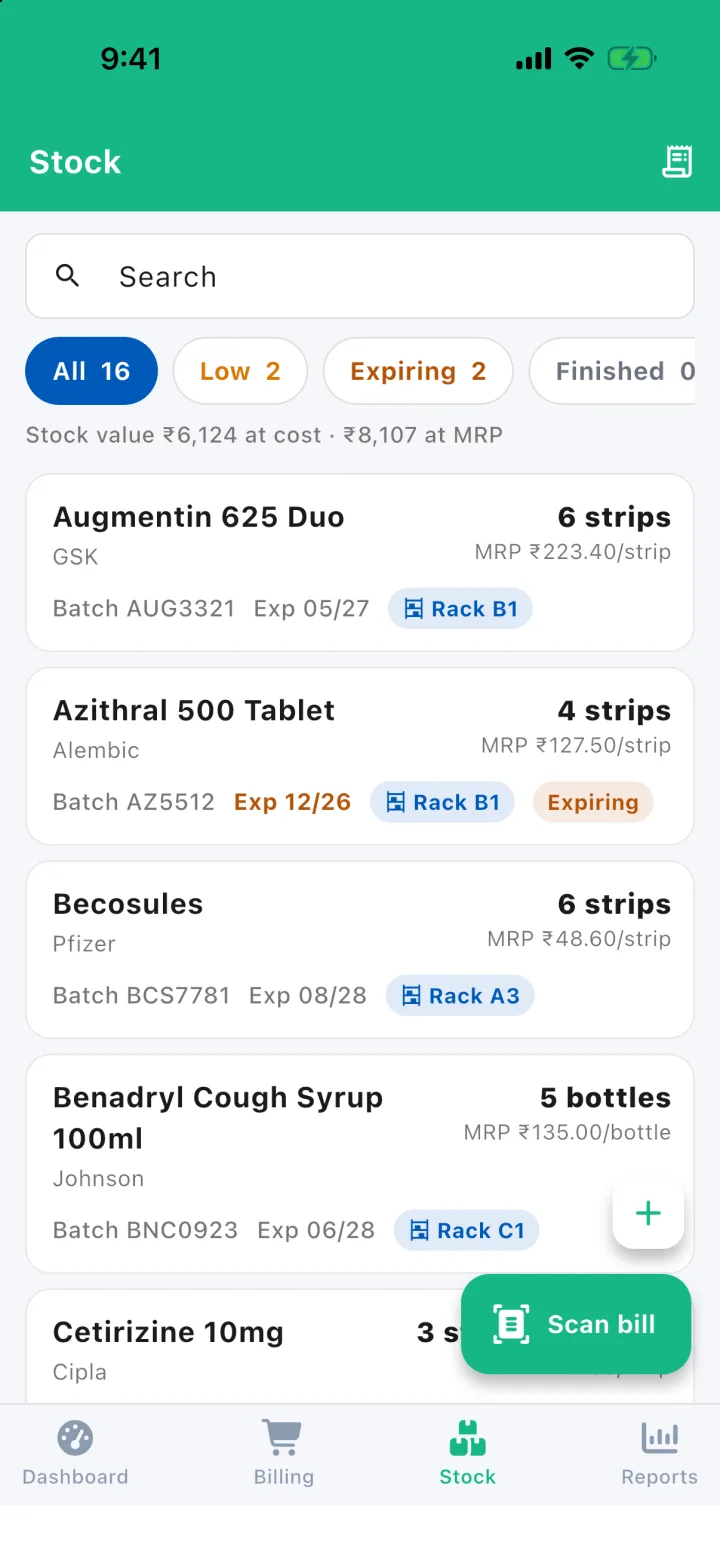
Medsathi Stock tab showing medicines with strips, batch, expiry, rack and low or expiring badges
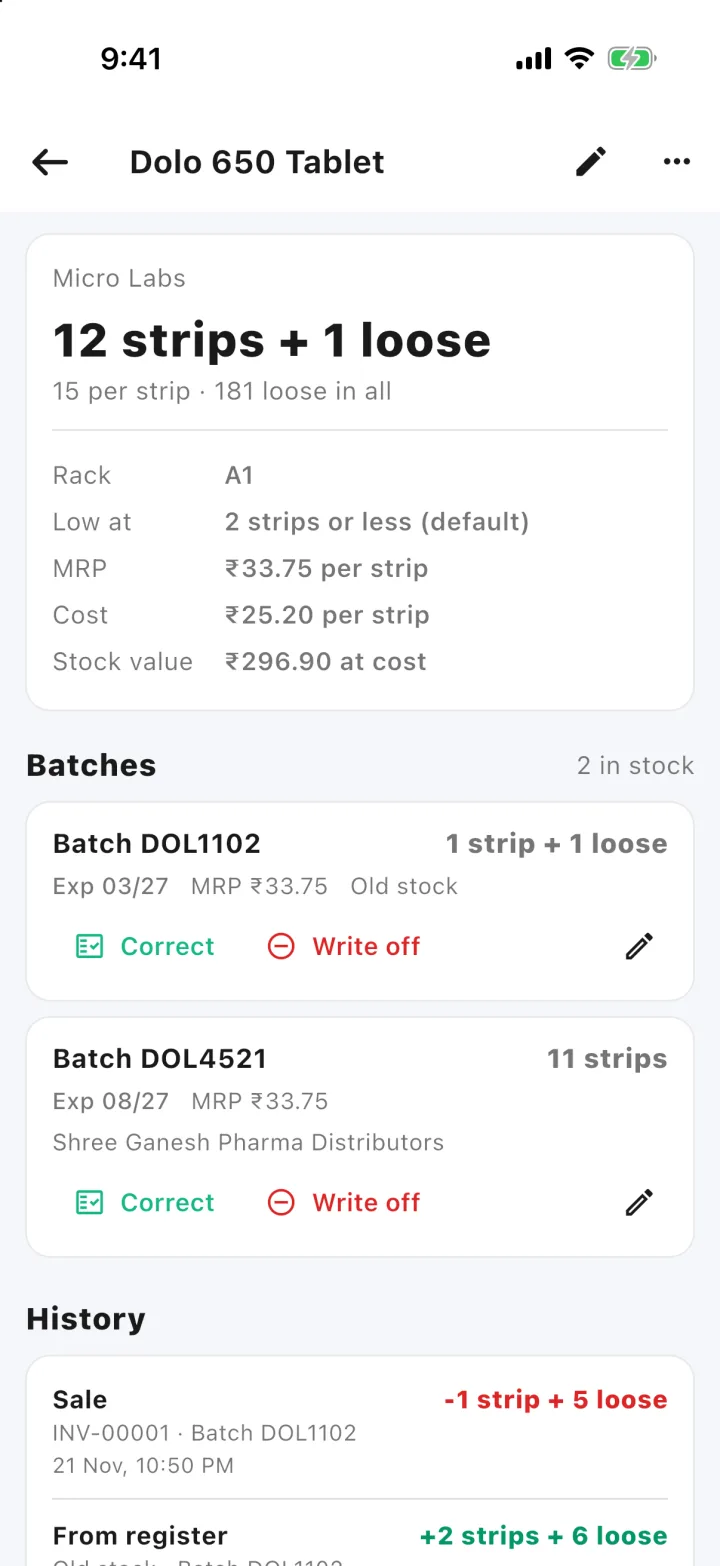
Medsathi medicine page showing two batches with expiry, supplier and the history of every stock change
Stock

A stock register that keeps itself

Every medicine shows how much is left as strips and loose tablets, which batch goes out next, when it expires and which rack it sits on.

  • Search the whole shop by medicine, batch number, supplier or rack.
  • Low, Expiring and Finished lists, so you know what to order and what to return.
  • Correct the count or write off damaged and expired stock. Every change keeps its reason in the history.

More on stock management →

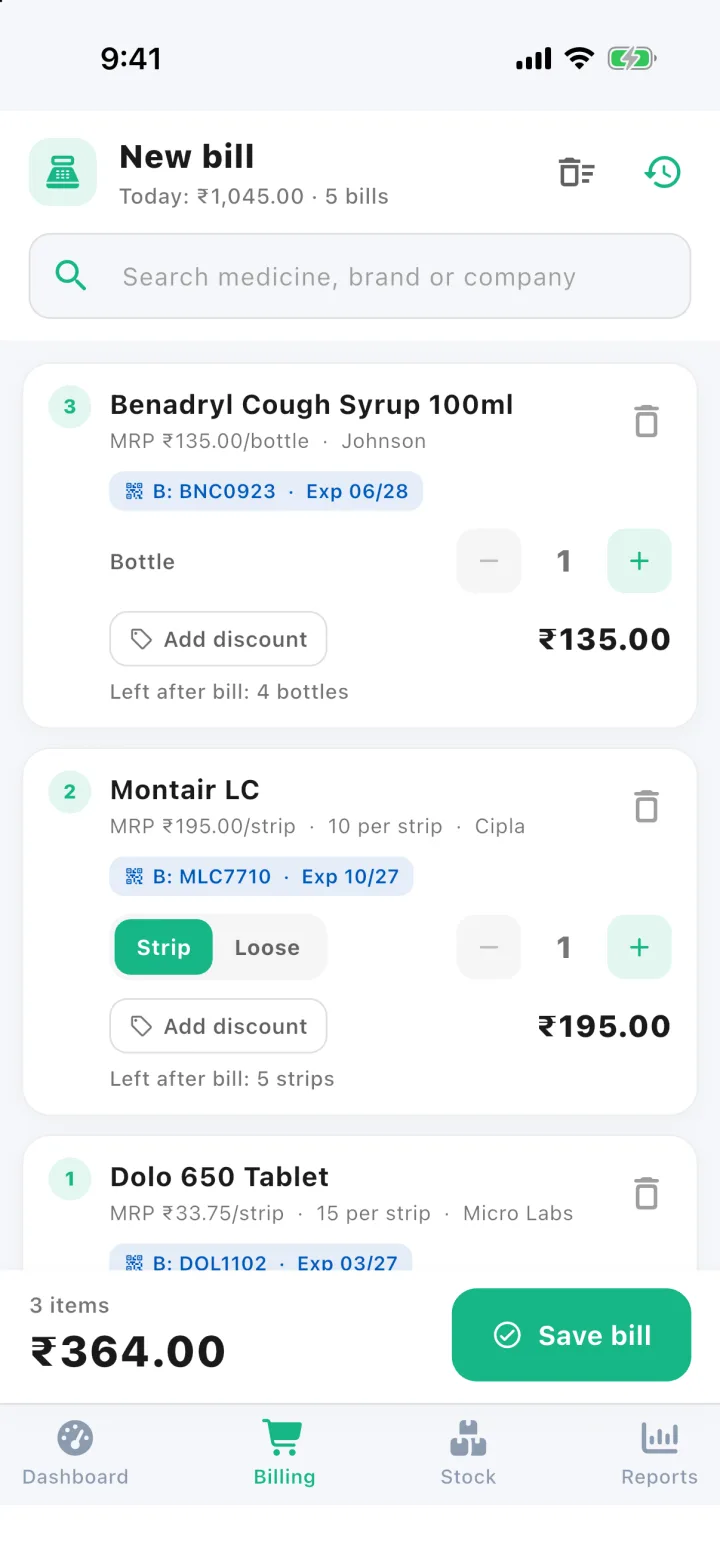
Medsathi billing screen with three medicines, strip or loose choice, batch and expiry, and total payable
Billing

Bill at the counter in seconds

Type a few letters, tap the medicine, choose strip or loose. Medsathi picks the batch that expires first and shows what is left after the bill.

  • Expired stock is never sold. It is held back from the bill automatically.
  • Cash, UPI, card or credit, with GST included in MRP and round off done for you.
  • Send the bill on WhatsApp to your customer.

More on pharmacy billing →

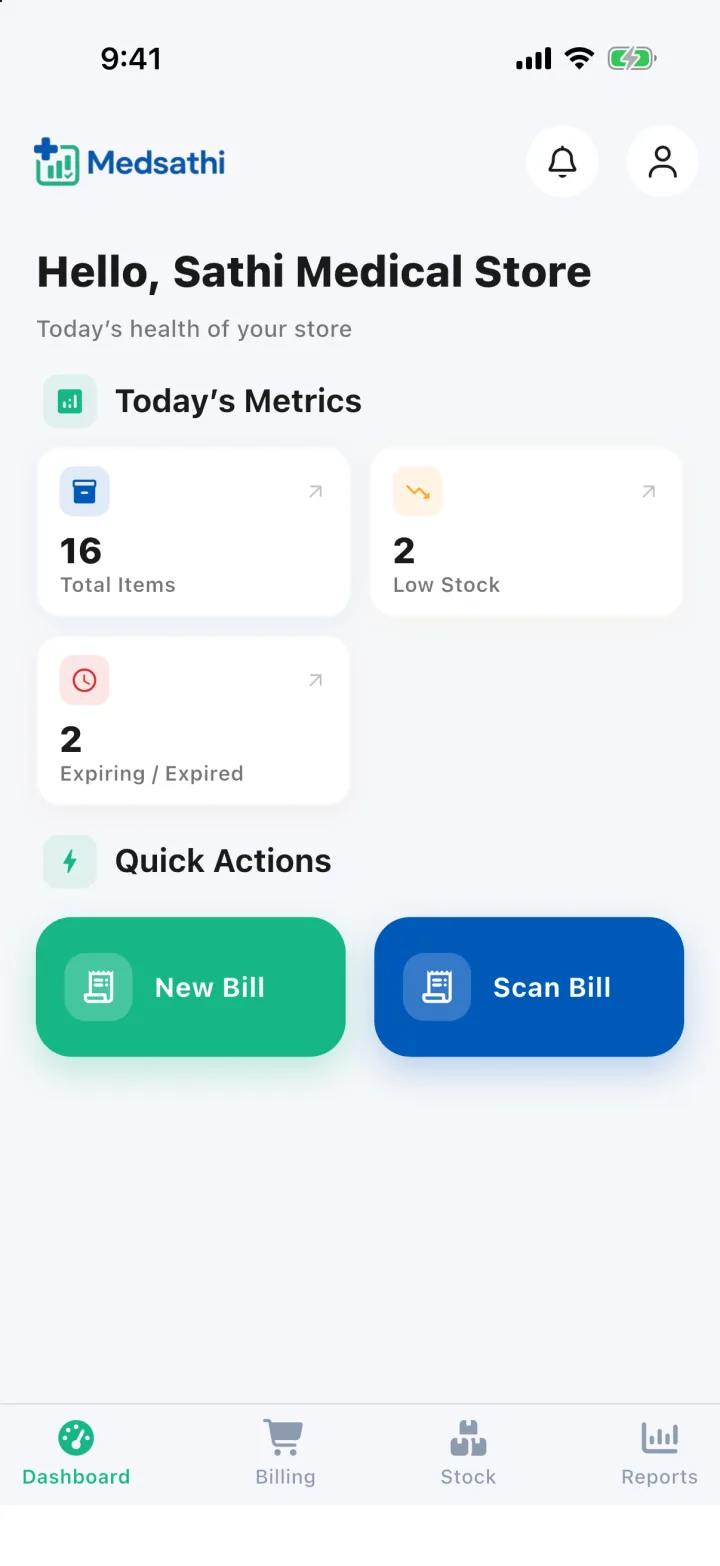
Medsathi dashboard showing total items, low stock and expiring counts
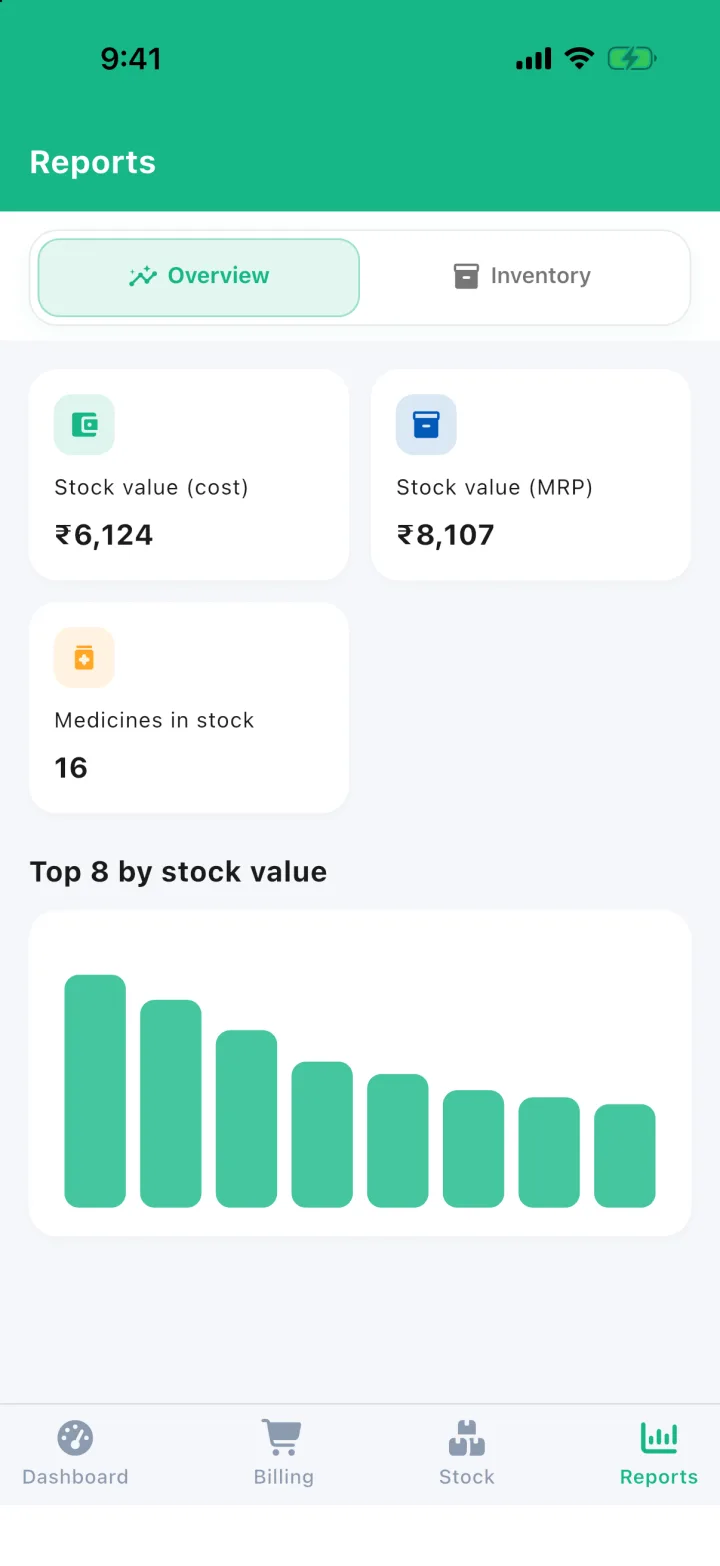
Medsathi reports showing stock value at cost and at MRP
Dashboard & reports

Know your shop at a glance

Open the app and see how many medicines are low, how many are expiring, today's sales, and what your stock is worth.

  • Stock value at cost and at MRP, worked out from what you actually paid.
  • One tap from a number to the list of medicines behind it.

How expiry tracking works →

How it works

Start today with your next bill

No setup day. No typing your whole stock. Your register moves over one bill at a time.

  1. Download and sign in

    Install Medsathi on Android or iPhone and sign in with your mobile number and OTP.

  2. Scan your next wholesaler bill

    Check the lines against the paper and save. Old stock? Copy it from your register, one line at a time.

  3. Start billing

    Every sale takes stock out of the right batch. Low and expiring medicines show up on their own.

Inside the app

Screens from Medsathi

Real screens from the app, with a demo shop's stock.

FAQ

Questions shopkeepers ask

Do I have to type my whole stock first?

No. Scan each new wholesaler bill as it comes in. For stock you already have, use "Add from register" to copy it one medicine at a time: strips, loose, batch, expiry, MRP and rack.

Can I sell loose tablets?

Yes. Choose strip or loose on the bill. Stock is kept in tablets underneath, so "3 strips + 4 loose" is always exact.

What if the scan reads something wrong?

Nothing goes into stock until you save. You check every line against the paper bill, and the lines must add up to the bill total, so a wrong line stands out. Tap a line to fix it, or type the bill yourself.

What happens to expired medicines?

They are shown in red, held back from billing, and you can write them off or return them to the supplier with a reason. The history keeps a record of it.

Is my shop's data private?

Each shop signs in with its own mobile number. Only that login can see its stock, bills and sales.

Does it work without internet?

Stock changes are saved on the phone and sync when the internet is back. Reading a bill photo and saving a sale need internet.

Which phones does it work on?

Android phones from Google Play, and iPhones from the App Store.

Your next bill is your first step.

Download Medsathi and scan it. Your stock starts from there.

Contact

Talk to us

Questions about Medsathi, help setting up your shop, or a feature you need. We reply quickly.